Replace Globals renames global functions and variables across every file in the same project, so shared references stay consistent after obfuscation.
Why it exists
Standard name mangling is intentionally conservative about global identifiers, because renaming a global in one file can break another file that still references the old name. Replace Globals solves that by using one shared mapping across the project.
That is why this feature belongs in the cross-file group: it only works properly when the related scripts are protected together in the same JavaScript Obfuscator project.
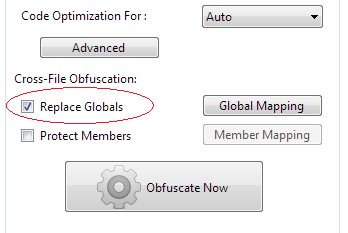
Basic cross-file example
In this example, the global function is renamed once and every file in the project uses the same generated name.
Rename by rules
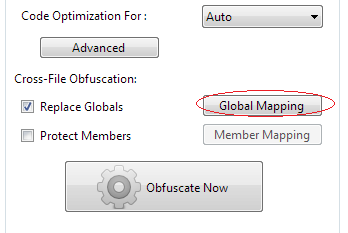
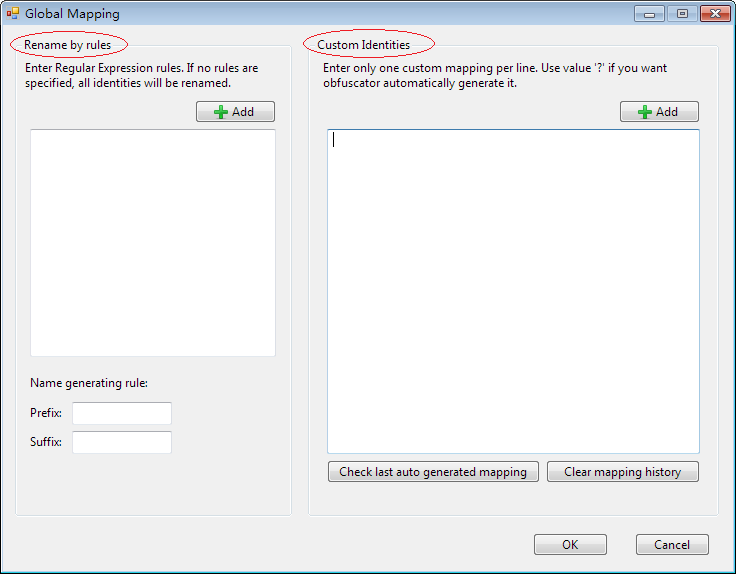
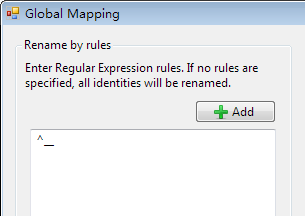
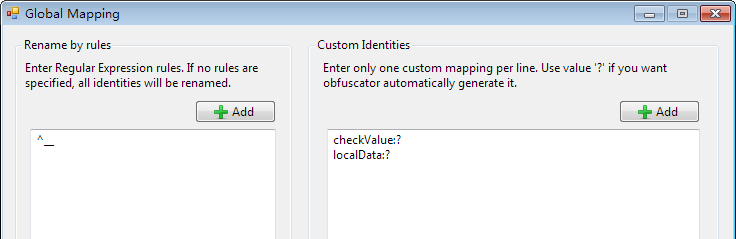
If you want to rename only selected globals, define a regular expression in Rename by rules. A pattern such as ^__ limits renaming to identifiers that start with a double underscore.
Example source:
function __internalGetSetting() {}
function __loadConfig() {}
function ShowLastError() {}
With ^__, only the private globals are renamed while ShowLastError keeps its public name.
Custom identities
Custom Identities lets you control specific mappings directly. For example:
checkValue:?
localData:?
This tells the obfuscator to rename checkValue and localData to generated names while leaving unrelated globals untouched.
For debugging or deterministic builds, you can assign fixed names instead:
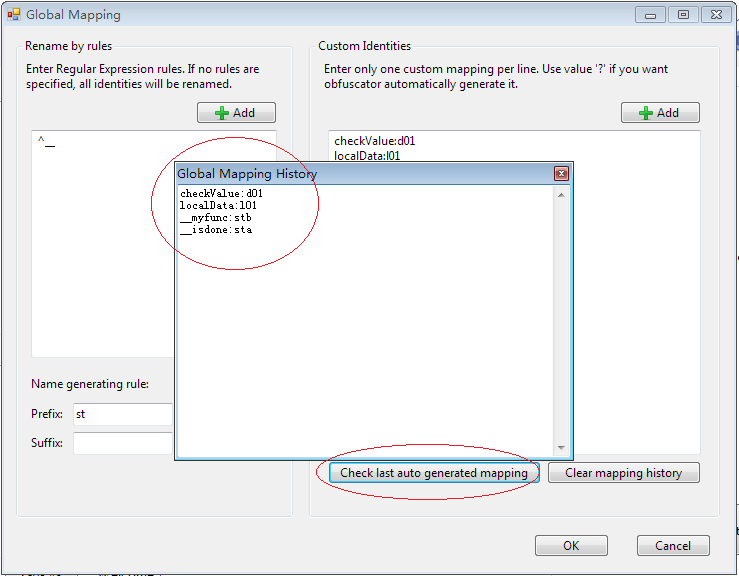
checkValue:d01
localData:l01
Stored mappings
JavaScript Obfuscator stores mapping information with the project so the same identifiers can keep the same replacement names across later runs. After obfuscation, you can inspect the last generated mapping to review or extend it.
Recommendation: treat unmatched identifiers as public. Only rename globals that are private to your project, and keep every dependent file in the same JavaScript Obfuscator project when you enable this feature.